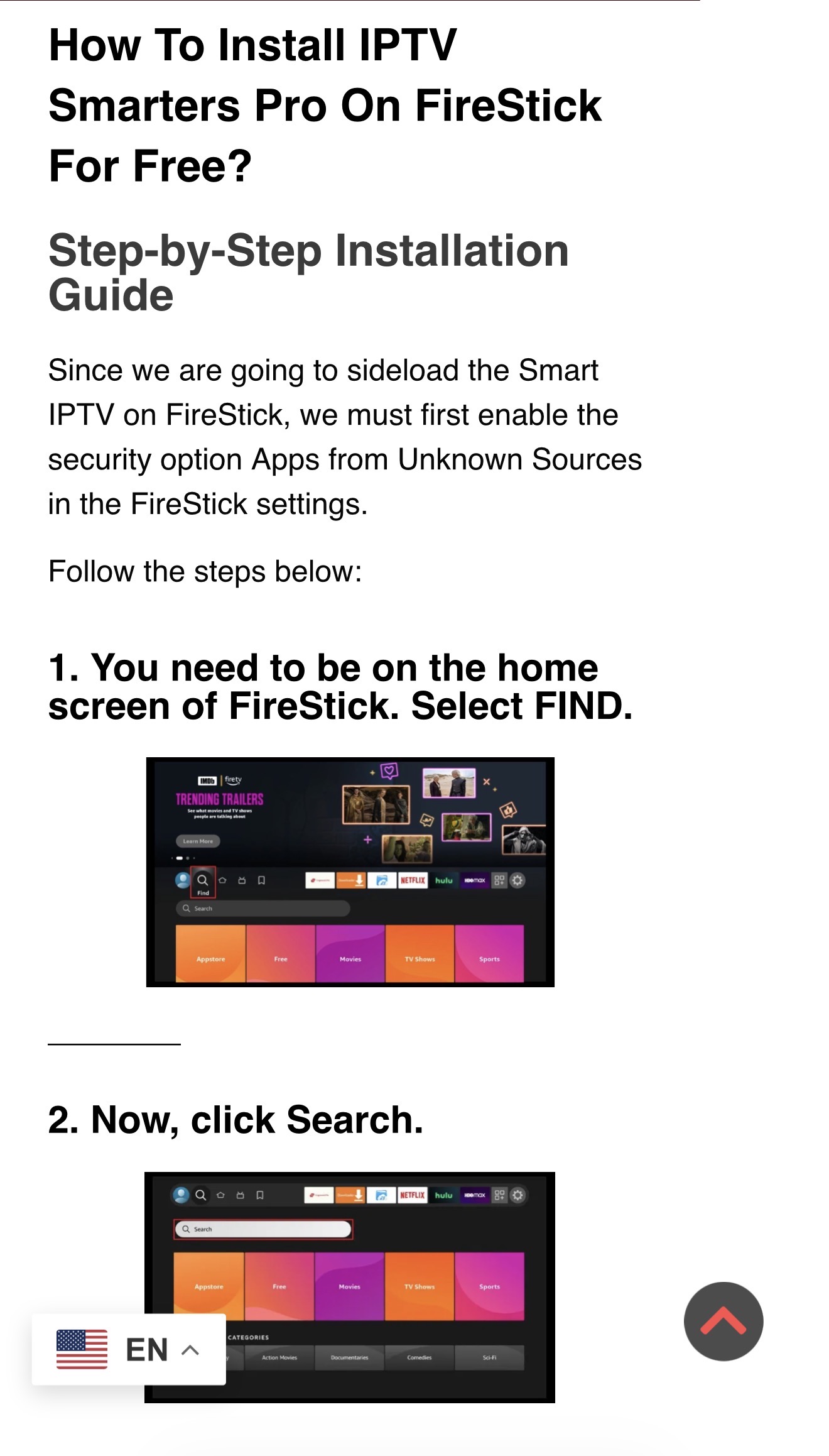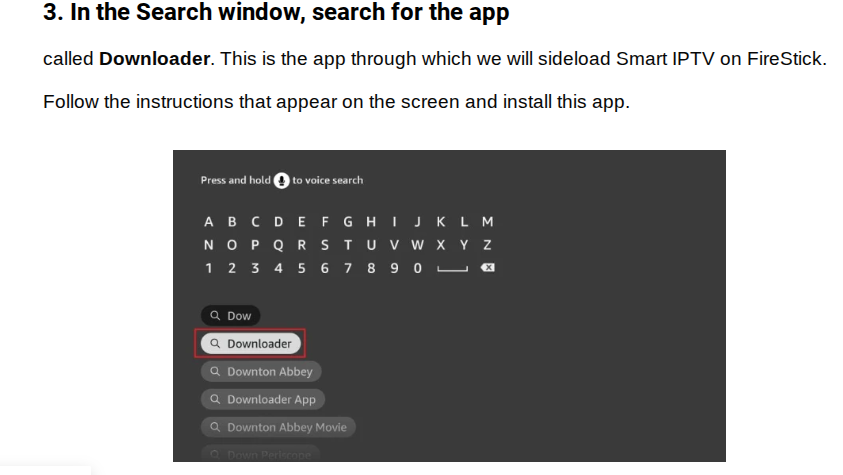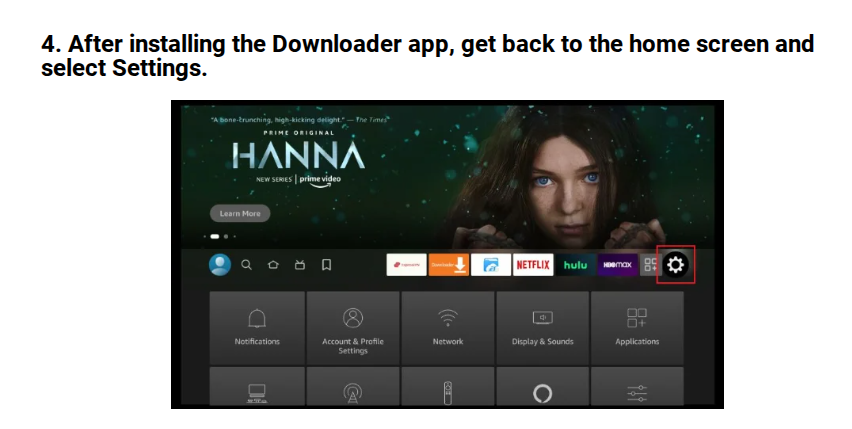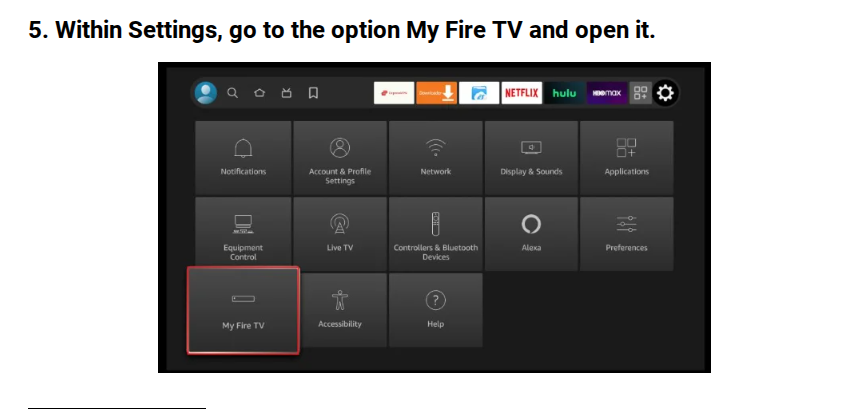
Setup Guide

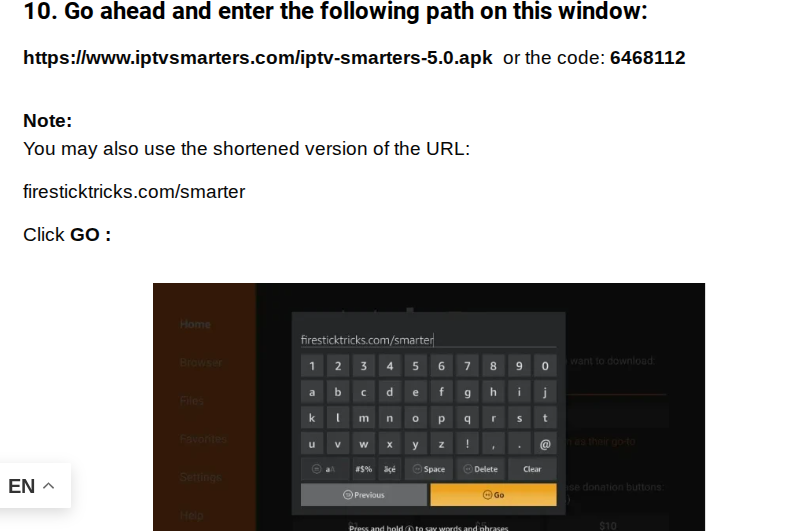
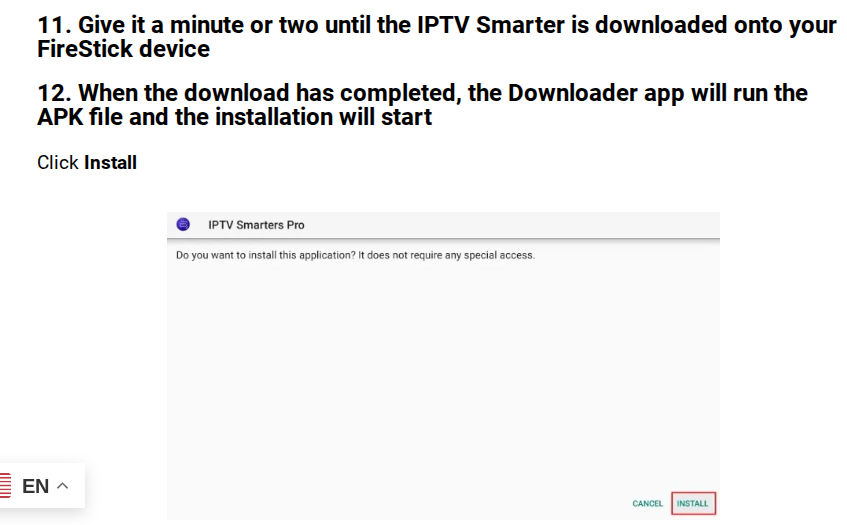
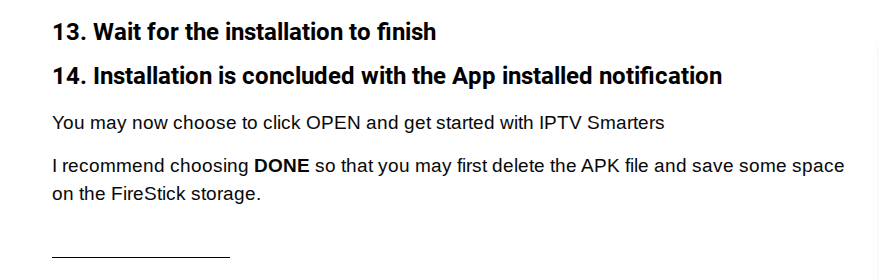
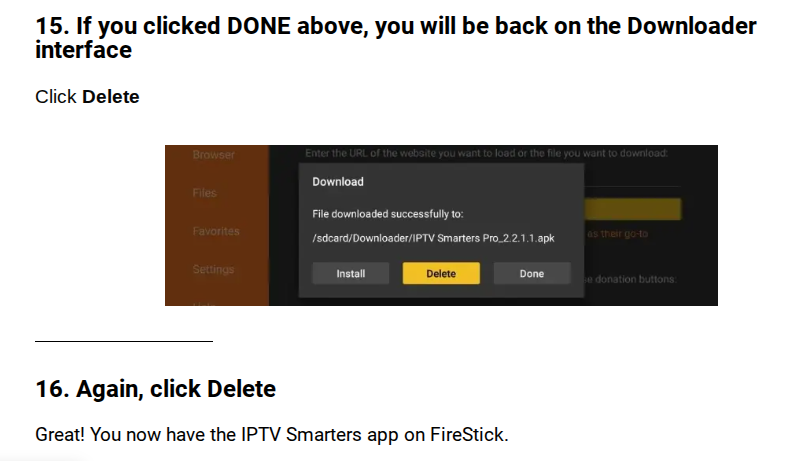
Once you have followed these steps, navigate to the home screen of your Firestick. Open your app library, and you’ll see the IPTV Smarters Pro app installed on your list of apps. It is usually towards the bottom of the page since it is newly downloaded. 

You can navigate to it, then open the app. 

Select save on the TV option 

Select the xtream code or player API option when prompted

Enter the login credentials provided to you at sign-up 

Step 1: Open your App Store and search for “Smarters Player Lite”

Step 2: Select the app developed by WHMCS Smarters and install it 

Step 3: Once opened, select the xtream code option. 

Step 4: Enter your provided username, password, and server url. 

Step 5: Select add user when details are entered, then enjoy!

For PC:

Visit http://webtv-new.iptvsmarters.com 

Select the option to sign in with xtream codes if asked 

Enter your username, password, and server address. This is provided to you at sign up. 

For Apple Computers: 

Download an app called Smarters Player Lite from the app store 

Select the xtream code option when prompted 

Enter your username, password, and server address. This is provided to you at sign-up.

Smart TV (Samsung & LG)
IPTV Smarters Pro – Samsung Smart TV
1. Turn on your Samsung Smart TV and press the Smart Hub button on your remote.
2. Use the search function to find “IPTV Smarters Pro”.
3. Select the app and choose to install it.
4. Once installed, open the app and accept the end-user licensing terms.
5. Enter the IPTV subscription credentials (server URL, username, password).
6. The app will establish a connection, allowing you to browse live channels and on
demand content.


IPTV Smarters Pro – LG Smart TV
1. Turn on your LG Smart TV and press the Home button to launch the LG Content Store.
2. Search for “IPTV Smarters Pro”.
3. Select and install the app.
4. Launch the app and enter your IPTV subscription details.
5. The app will verify details and connect to the servers.
6. Explore live TV channels, movies, and on-demand libraries.

Your Questions, Answered

Solutions to the most commonly asked questions.

We are so confident that you'll fall in love with our service, we even offer a money back guarantee! If you are not satisfied, please contact us within the first 24 hours of purchasing service to receive a full refund.

We accept the following payment methods:
-CashApp
-Zelle
-Crypto
-PayPal
-Debit/Credit card payments coming soon!

Firesticks
Android Boxes
Smart TV's (Samsung/LG)
Mobile Devices iOS/android
Computers

If your device is performing slowly, follow these basic troubleshooting steps: 1. Check for a software update
2. Clear app caches and delete unused apps
3. Restart your device through your settings

We have plans for up to 5 connections

Contact us for a free trial, we are happy to help you check out what we offer at no cost.

20,000+ Servers in 198 Countries — Powered by Str8 TV Media

Our clients span the globe, and to guarantee top service, Str8TV Media servers are strategically placed worldwide to provide the best quality streaming experience.

Scroll to Top